
The best admin to automate first happens often, follows the same rules every time and already lives in a digital system: reminders, status updates, tasks created from forms, and chasing. Leave alone anything that needs judgement, a sensitive conversation, or a process your team has not yet agreed on.
Most roles are partly automatable
A useful starting point is the McKinsey Global Institute’s research on automation. It found that very few occupations, less than 5 percent, are candidates for full automation, but that almost every occupation has some activities that could be automated, with data collection and data processing among the most open to it (McKinsey Global Institute).
That matches what I see in small businesses. The jobs stay. What goes is the hour a day spent copying details between systems, chasing people for updates and reminding clients about things they have already been told.
A quick way to choose
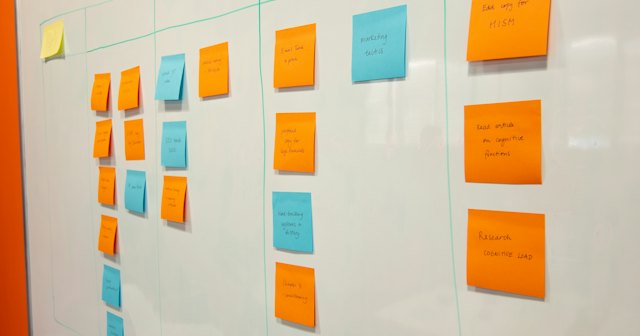
List the repeat admin your team does in a typical week. Then score each task from one to three on four questions:
- How often does it happen? Daily scores three, monthly scores one.
- How long does it take each time?
- How costly is a mistake? A missed invoice reminder costs more than a missed internal note.
- How rule based is it? If you can write it as “when this happens, do that”, it scores three.
Add up the scores. The highest are your first candidates. Anything that scores low on the last question should stay with a person for now, however often it happens.
Good first candidates
In most of the businesses I work with, the quickest wins are the reminders nobody enjoys sending: invoice chasers, renewal dates and follow ups on quotes. Next come status notifications, so the right person hears that a job has moved on without anyone writing a message, and forms that turn an enquiry or a booking straight into a task with the right owner.
Recurring jobs, such as a monthly safety check, can create themselves on the right date. And work can move itself along, for example a finished job appearing on the invoicing board as soon as it is marked complete.
What to leave with a person
Pricing a non standard job, deciding whether to take on a client, handling a complaint or giving bad news all need a person. So does anything involving vulnerable people.
The other thing to leave alone is a process the team has not agreed. Automating a messy process only makes the mess happen faster. Agree the steps, run them by hand for a while, then automate.
How automations work in workflow platforms
Most workflow platforms follow the same pattern. In monday.com, for example, every automation has a trigger, a condition and one or more actions (monday.com Support). When a job’s status changes to complete (the trigger), and the job is for a commercial client (the condition), create an item on the invoicing board and tell the accounts team (the actions).
I am a monday.com partner, so weigh my view accordingly, but the same thinking applies in other tools. Check what your plan includes before you build, because the number of automations allowed varies by plan.
Keeping it under control
Start with one or two automations and live with them for a couple of weeks before adding more. Give each one a name that says what it does and a person who owns it. Then look at them once a month: switch off the ones nobody needs and fix the ones that misfire. Automations that nobody owns tend to keep running long after the process has changed.